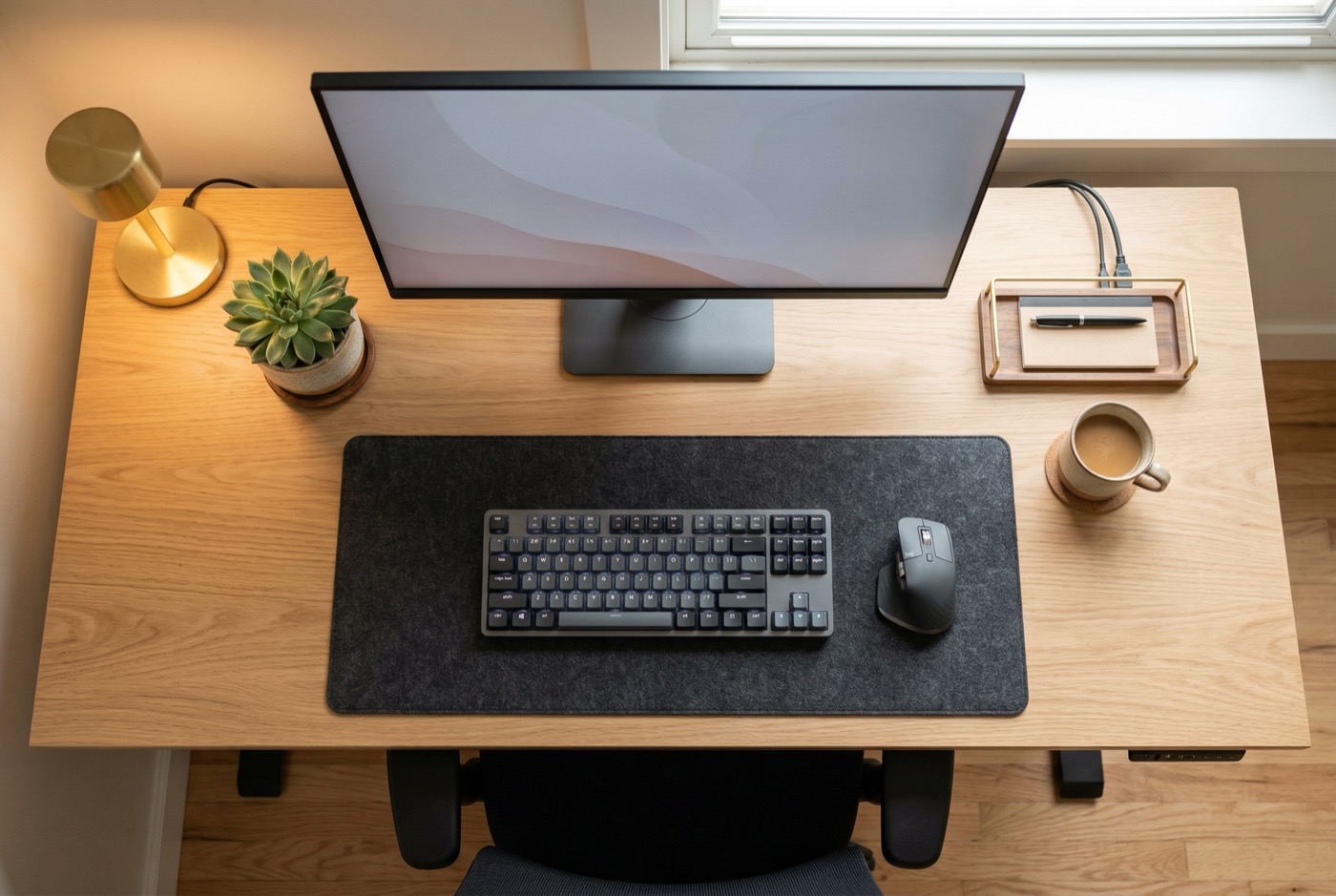
Key takeaways
- 76% of remote workers report increased back pain from makeshift home office setups – your chair is likely the biggest problem
- Four chair types serve remote workers differently – standard ergonomic, kneeling, criss-cross, and budget kneeling designs
- Quality ergonomic seating costs $200-$500 and pays for itself by preventing healthcare expenses and lost productivity
- The best chair depends on how you actually sit, not on which type scores highest in generic reviews
What is in this guide
- Why remote workers need a different chair strategy
- Four ergonomic chair types compared
- Side-by-side comparison table
- Best ergonomic chair by budget tier
- How to choose by body type and work style
- Setting up your full remote workstation
- Common remote office chair mistakes
- Warranty, returns, and buying online
- Your next steps
Your kitchen chair was not built for 8-hour workdays. That dining table doubling as a desk? It is probably why your shoulders feel like concrete by 3 PM. If you cobbled together a “home office” during the remote work shift, your back, neck, and productivity are paying for it.
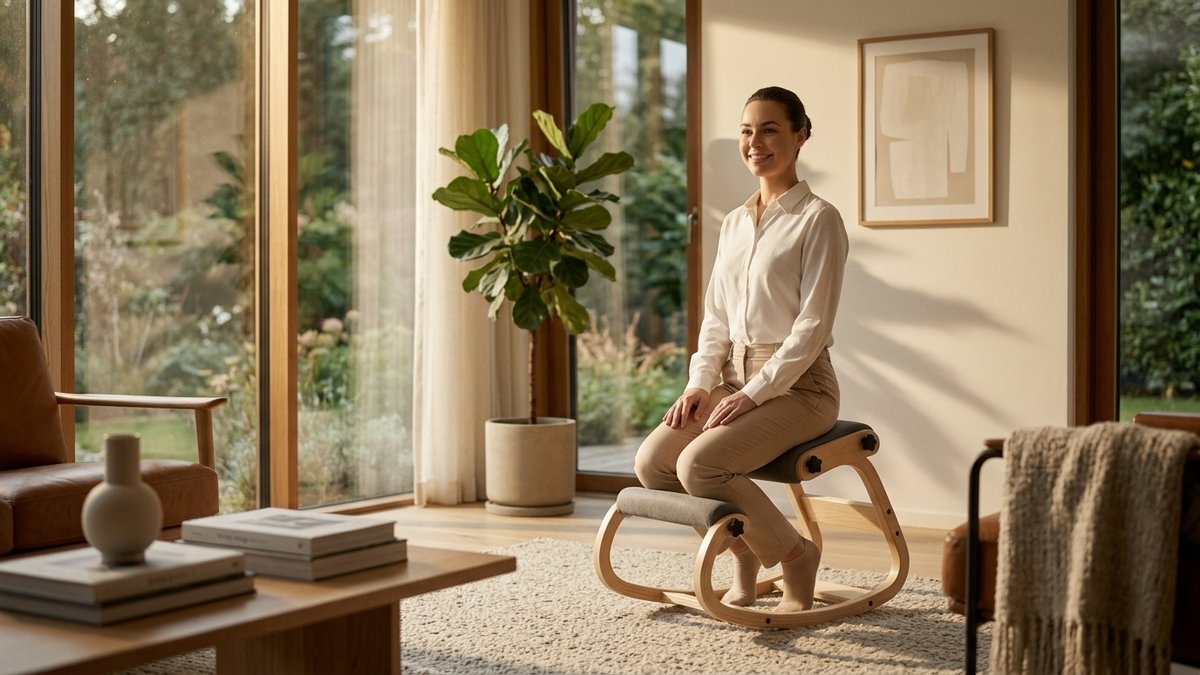
Research from the International Journal of Environmental Research and Public Health found that 76% of remote workers report increased pain since moving to home offices. The problem is not remote work itself. It is furniture that was never designed for sustained professional use.
This guide compares every chair type that works for remote settings. It breaks down price tiers, body type considerations, and setup basics so you can stop hurting and start working better.
Key Takeaways
- Your home chair matters more than your office chair – you control it completely.
- The right chair depends on your work style – not on a brand or price point.
- Movement-permissive chairs outperform expensive ergonomic chairs for most remote workers.
- Start with the Chair Finder Quiz to match your body type and habits to the right option.
Why remote workers need a different chair strategy
Corporate offices provided chairs rated for 8-hour days. Home offices use whatever was already in the house. The shift to remote work created an ergonomic crisis that millions of workers still have not fixed.
The numbers tell the story. 65% of remote workers report new or worsened neck and shoulder issues. An estimated $600 billion in productivity is lost annually to musculoskeletal disorders across the US workforce, according to the Bureau of Labor Statistics.
Here is what is actually happening in home offices across the country:
- Makeshift setups dominate – Kitchen tables, couches, and bed desks force your spine into positions it was never meant to hold
- Static positioning compounds damage – Without office movement like walking to meetings, remote workers sit frozen far longer than they realize
- Laptop angles destroy necks – A laptop on a kitchen table creates a downward head angle of 30-45 degrees, compressing cervical discs
- Pain follows you home – When your office is your living room, work discomfort does not clock out at 5 PM
Your employer would never put you in a dining chair for 8 hours at the office. The good news: solving this does not require a $2,000 chair. It requires understanding which chair type matches how you actually work.
Four ergonomic chair types compared
Not all ergonomic chairs solve the same problem. Each type addresses a different sitting pattern. The key is matching the chair to how you actually sit – not how you think you should sit.
Standard ergonomic office chairs ($500-$2,000+)
The familiar task chair with lumbar support, armrests, and a five-star base. These work best for people who sit in one position for long stretches and want full back support with maximum adjustability.
The downside is their bulky footprint and high cost. They also encourage passive sitting with zero muscle engagement, which can weaken postural muscles over time.
Kneeling chairs ($200-$450)
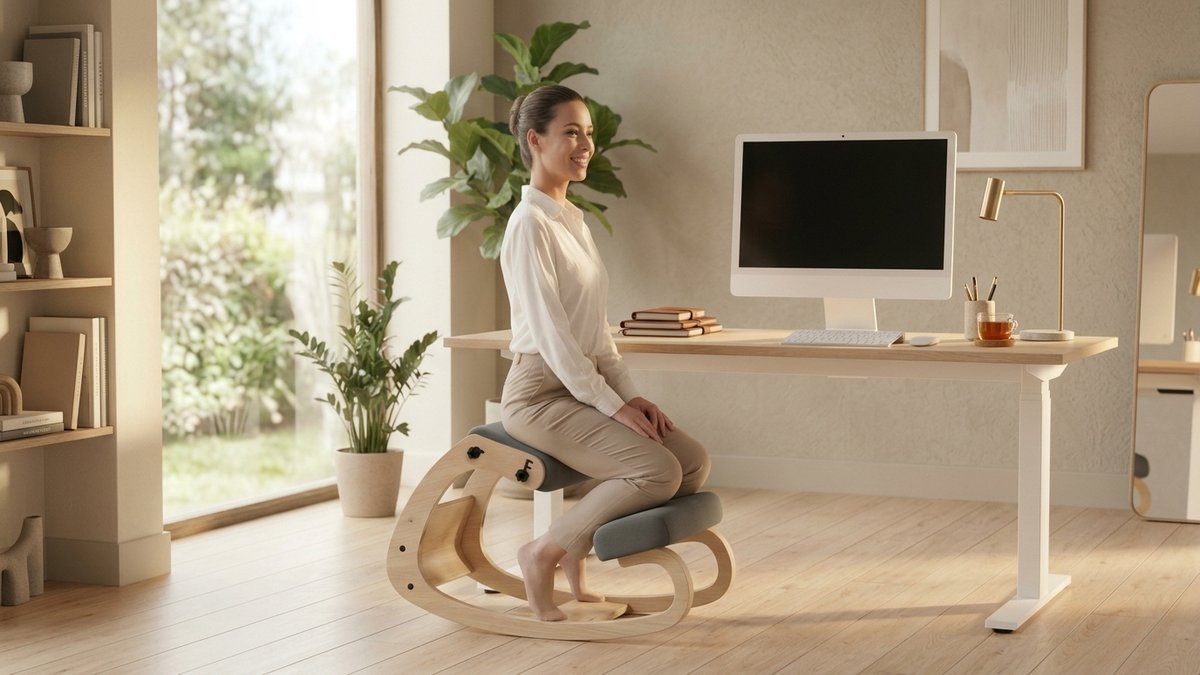
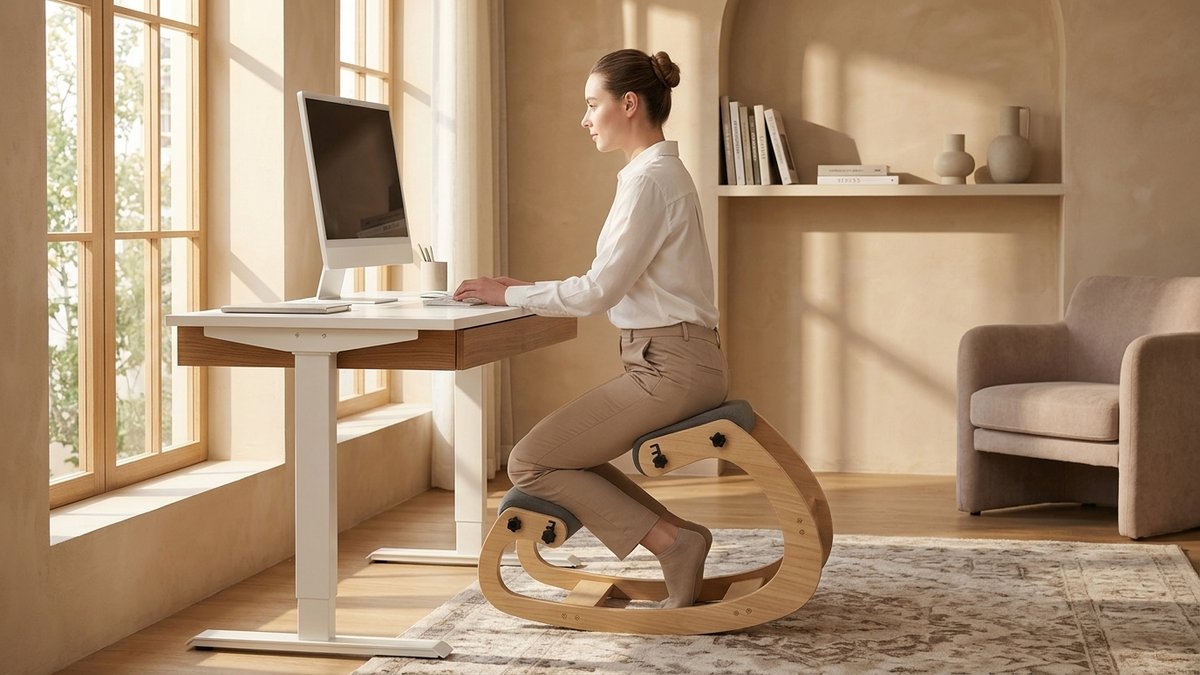
Kneeling chairs use a forward-tilted seat and shin pads to open your hip angle to 110-120 degrees. This naturally positions your spine in its healthy S-curve without conscious effort.
For remote workers, kneeling chairs solve several problems at once:
- Compact footprint – Fits guest rooms, closet offices, and shared spaces without dominating the room
- Active core engagement – Builds strength while you work instead of weakening muscles
- Laptop-friendly posture – Upright position elevates your eye level, making laptop screens more ergonomic
- Rocking base models – Allow micro-movements that prevent stiffness and keep you alert
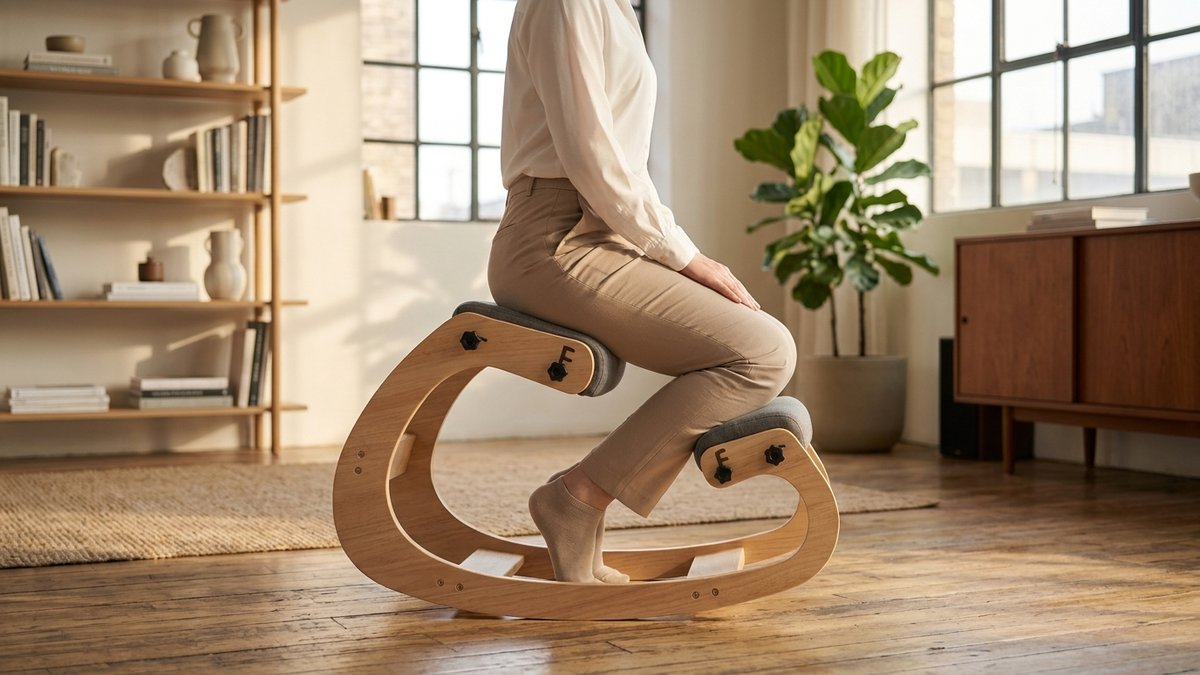
Most people adapt fully within 2-3 weeks. Learn more about the adjustment process in our kneeling chair pros and cons guide.
Criss-cross wide desk chairs ($300-$500)
If you naturally tuck your legs under you or sit cross-legged, a criss-cross chair was designed for exactly that behavior. The wide seat accommodates every position you cycle through during the day.
- Position flexibility – Cross-legged, one-leg-up, tucked, and traditional sitting all work
- Reduces fidgeting frustration – If you fight your chair all day, this stops the fight
- Bridges professional and home comfort – Looks office-appropriate while feeling casual
Budget kneeling chairs – fixed base ($100-$250)
A simpler version with a non-rocking base. These are the most affordable entry point for people who want posture benefits without the dynamic movement element. The trade-off is a longer adaptation period of 3-4 weeks since the fixed base does not allow the micro-movements that ease the transition.
Quick guide: match your sitting style to a chair type
Sit upright and lean forward? Rocking kneeling chair. Sit cross-legged or constantly shift? Criss-cross chair. Need full back support? Standard ergonomic. Want to test kneeling on a budget? Fixed-base kneeling chair.
Side-by-side comparison table
This table puts all four chair types head to head across the features that matter most for remote workers. There is no single “best” column – the right choice depends on your situation.
| Feature | Standard Ergonomic | Kneeling (Rocking) | Criss-Cross | Budget Kneeling |
|---|---|---|---|---|
| Price range | $500-$2,000+ | $200-$450 | $300-$500 | $100-$250 |
| Core engagement | Minimal | High | Moderate | Moderate-High |
| Posture correction | Passive (lumbar support) | Active (body holds itself upright) | Moderate | Active |
| Small space friendly | No – bulky footprint | Yes – compact design | Moderate | Yes – very compact |
| Sitting positions | 1 (standard) | 2-3 (forward, neutral, perch) | 4+ (cross-legged, tucked, more) | 1-2 (forward, neutral) |
| Adaptation period | None | 2-3 weeks | 1-2 days | 3-4 weeks |
| Back support | Full lumbar | None (self-support) | Optional backrest | None |
| Seated movement | Limited | High (rocking base) | High (position changes) | Low (fixed base) |
| Best for | Long static sessions, existing back conditions | Active sitters, posture improvement, small spaces | Restless sitters, position changers | Budget-conscious, testing kneeling style |
A standard ergonomic chair is the right call for someone recovering from spinal surgery. A kneeling chair is ideal for someone who wants to actively improve their posture. A criss-cross chair solves a completely different problem – restlessness.
Best ergonomic chair by budget tier
Remote workers often pay for their home office out of pocket. That makes value per dollar critical. Here is how the investment breaks down across price ranges.
Under $250: budget kneeling chairs
Fixed-base kneeling chairs deliver real posture benefits at the lowest price point. They lack the rocking base of premium models, but they still open your hip angle and engage your core. Great for testing whether kneeling-style seating works for your body before investing more.
$200-$450: kneeling chairs with rocking base
This is the sweet spot for most remote workers. A rocking kneeling chair offers active sitting, compact size, and micro-movement that prevents stiffness throughout the day. At roughly $1.20 per workday in the first year, it is one of the most cost-effective ergonomic upgrades available.
Image Coming Soon
Infographic comparing cost per workday across four chair types – bar chart style with daily cost figures, showing kneeling chairs as the best value
$300-$500: criss-cross wide-seat chairs
If you are a restless sitter who shifts positions constantly, this tier gives you the freedom to sit cross-legged, tucked, or in a traditional position. The wider seat pan accommodates every posture your body wants to try throughout the day.
$500+: standard ergonomic task chairs
Premium task chairs make sense when you need maximum adjustability and full lumbar support. They are the right choice for people with existing spinal conditions or those who prefer one fixed sitting position for extended periods. Quality options in this range include 10+ year warranties.
The real cost of doing nothing
A single physical therapy session costs $150-$350. The average remote worker with chronic back pain spends $2,000-$7,000 annually on treatment (American Chiropractic Association). A $300 chair that prevents even a fraction of that is one of the best investments you will make.
If you are self-employed, ergonomic furniture may be tax-deductible. Many employers now offer $500-$1,000 home office stipends as well. Check with your tax advisor or HR department before paying full price out of pocket.
How to choose by body type and work style
Your body dimensions narrow your options more than any feature list. A chair that works for someone 5’4″ and 130 pounds will not perform the same for someone 6’2″ and 220 pounds.
By height
- Under 5’4″ – Look for chairs with low minimum seat height. Kneeling chairs adjustable down to 21 inches work well for shorter frames
- 5’4″ to 6’0″ – Most ergonomic chairs fit this range. Focus on adjustability and sitting style preference rather than size
- Over 6’0″ – Standard ergonomic chairs with deep seats and high backs often fit best. Kneeling chairs need a maximum height of 28+ inches
By work style
- Focused desk work (writing, coding, data entry) – Kneeling chairs promote the forward-leaning posture these tasks demand
- Creative and varied tasks (design, brainstorming, calls) – Criss-cross chairs support the position shifts that creative thinking benefits from
- Long meetings and video calls – Standard ergonomic chairs provide the back support for hours of seated listening
- Dual-monitor setups – Kneeling chairs keep your head level and centered, reducing neck strain from scanning between screens
Image Coming Soon
Person working comfortably at a dual-monitor home office with a kneeling chair, proper eye-level alignment visible, warm lighting, late 40s woman
Before you buy anything, try our free Chair Finder Quiz – it maps every item on this checklist to a specific recommendation based on how you actually work.
Setting up your full remote workstation
Your chair is the foundation, but it works as part of a system. Even the best ergonomic chair cannot compensate for a desk at the wrong height or a monitor that sits too low. For a complete walkthrough, see our ergonomic tips for remote workers guide.
Desk height optimization
Sit in your chair with feet or shins positioned naturally. Place hands on the keyboard. Your elbows should rest at roughly 90 degrees with wrists straight and level. If your desk is too high, add a keyboard tray or raise your chair. If too low, add risers under desk legs – 2-4 inches usually works.
Monitor positioning
Kneeling chairs offer a unique advantage here. The upright posture naturally raises your eye level, making laptop screens sit at a more ergonomic angle without an external monitor. For desktop monitors, the top of the screen should be at or slightly below eye level, 20-26 inches from your face.
No chair replaces movement
Set a timer for every 45-60 minutes. Stand up, walk around, stretch. Even the most ergonomic chair cannot substitute for regular movement. The best sitting position is always the next one.
Common remote office chair mistakes
After years of helping remote workers improve their setups, these four mistakes come up more than any others. Avoiding them will save you money and frustration.
Buying the most expensive chair. A $2,000 chair with features you never use is not better than a $300 chair that matches how you actually sit. Focus on fit, not price tag. The right $250 kneeling chair will outperform a $1,500 task chair that does not match your body.
Ignoring your natural sitting style. If you naturally sit cross-legged, fighting that instinct with a narrow task chair creates tension all day. A criss-cross chair accommodates that movement instead of resisting it.
Image Coming Soon
Before-and-after comparison of common home office mistakes (laptop on couch, dining chair at table) versus properly set up ergonomic workspace
Giving up too soon. Most kneeling chair returns happen in the first 5 days – before adaptation is complete. The mild muscle awareness you feel in week 1 becomes natural, comfortable alignment by week 3. Give your body the full adaptation window.
Fixing the chair but ignoring everything else. A great chair with a too-high desk and a too-low monitor still creates problems. Ergonomics is a system. Read our guide to choosing an ergonomic chair for the complete picture of what makes a workspace work.
The 30-day test rule
Never judge an ergonomic chair in the first week. Your body needs time to adapt to new positioning. A chair that feels “weird” on day 3 often feels essential by day 21. A 30-day return window is non-negotiable when buying online.
Warranty, returns, and buying online
Remote workers buy chairs online without sitting in them first. That makes the return policy and warranty just as important as the chair features themselves.
Return policy minimums
- 30-day trial minimum – You need at least 3 weeks to fully adapt to a kneeling or active sitting chair
- Free return shipping – Return costs on a 30-pound chair can eat $50-$80 of your refund
- No restocking fee – Some brands charge 15-20% restocking fees that make returns expensive in practice
Warranty benchmarks
- Frame: 3+ years minimum, 5+ years ideal
- Cushioning: 1+ year minimum (foam compresses over time)
- Gas cylinder: 2+ years (the most common failure point in any office chair)
- Moving parts: 1+ year for casters, mechanisms, and adjustments
Essential features checklist before you buy
✓ Height adjustability that works with your specific desk
✓ Weight capacity with a safety margin above your weight
✓ Seat material – memory foam for all-day comfort, mesh for hot climates
✓ Floor compatibility – wheels for carpet, glides for hardwood
✓ Footprint dimensions – measure your workspace before ordering
✓ Assembly requirements – check tools needed and setup time
Image Coming Soon
Checklist infographic showing warranty minimums and essential features to verify before purchasing an ergonomic chair online
Your next steps
You do not need to overhaul your entire home office today. Start with the one change that makes the biggest difference: your chair.
- Today: Pay attention to how you actually sit. Cross-legged? Leaning forward? Reclined? Your habits determine your best chair type.
- This week: Measure your desk height and available floor space. These two numbers narrow your options immediately.
- Before you buy: Run your own ergonomic assessment to identify what your workspace needs beyond the chair.
The remote work revolution changed where we work. It is time to change how we sit while doing it. Your body has been adapting to bad furniture for too long. Give it something worth adapting to instead.
Your remote office deserves better than a kitchen chair
You have read the full guide. You know what to look for. Now let our 60-second Chair Finder Quiz turn that knowledge into a specific recommendation for your home workspace.
References
- Ceravolo, M.G., et al. (2021). “Home-based work and musculoskeletal pain during the COVID-19 pandemic.” International Journal of Environmental Research and Public Health, 18(4), 1-12.
- Bureau of Labor Statistics (2023). “Employer-reported workplace injuries and illnesses.” U.S. Department of Labor.
- American Chiropractic Association (2023). “Back pain facts and statistics.” ACA publications.
- Gupta, N., et al. (2015). “Is objectively measured sitting time associated with low back pain?” International Journal of Behavioral Nutrition and Physical Activity, 12, 147.
- Vergara, M., & Page, A. (2002). “Relationship between comfort and back posture and mobility in sitting posture.” Applied Ergonomics, 33(1), 1-8.
Related reading
This article contains affiliate links. ErgoLife Foundation may earn a commission at no additional cost to you. All recommendations are based on our independent research and mission to improve workplace wellness.