Key Takeaways
- Separating your screen from your keyboard is the single most impactful change for laptop-based remote workers.
- Chair height determines your entire postural chain – fix this first before adjusting anything else.
- The 30-30 Rule (change position every 30 minutes for 30 seconds) is the most effective movement habit for desk workers.
- You can build a functional ergonomic home office for under $75 using a few targeted upgrades.
- Video call posture (“Zoom lean”) is a hidden source of neck and back strain that most remote workers overlook.
In This Guide
Remote work has become permanent for millions of people. What started as a temporary measure has evolved into the dominant model for knowledge workers, with over 58% of Americans who have desk jobs working remotely at least part-time (McKinsey, 2024).
But there is a problem. Most home offices were set up in a hurry, and many have never been properly optimized. A 2022 study in the International Journal of Environmental Research and Public Health found that 76% of remote workers reported new or worsening musculoskeletal pain since transitioning to working from home (Moretti et al., 2022).
The kitchen table, the couch, the bed – none of these were designed for 8-hour workdays. These ergonomic tips for remote workers are practical, evidence-based, and designed for the realities of working from home – where you may not have a dedicated office, a generous equipment budget, or an employer-funded assessment.
Why Remote Work Creates Unique Ergonomic Challenges
In a traditional office, someone – an HR team, a facilities manager, an occupational health specialist – has made at least basic decisions about desk heights, chair quality, and monitor placement. At home, you are that person.
The core problem
Your employer would never ask you to sit in a dining chair for 8 hours at the office. So why are you doing it to yourself at home?
Remote work introduces challenges that do not exist in offices:
Improvised furniture. Dining tables are typically 30 inches high – appropriate for eating, too high for typing. Kitchen chairs lack lumbar support, armrests, and height adjustment. These furniture mismatches are the primary source of remote work pain.
Laptop dependency. Most remote workers rely on laptops, which force a compromise: either the screen is too low (causing neck flexion) or the keyboard is too high (causing wrist extension). There is no laptop position that is simultaneously good for your neck and your wrists.
Blurred boundaries. Without the physical transition of a commute, remote workers log more hours and take fewer breaks. Microsoft found that remote workers in the U.S. increased their average workday by 46 minutes and took 30% fewer breaks compared to in-office work (Microsoft Work Trend Index, 2021).
Watch for stress tension
Psychological stress increases muscle tension, particularly in the neck, shoulders, and jaw. Remote workers who feel isolated or overwhelmed may carry this tension physically without realizing it.
The Essential Setup: 5 Non-Negotiable Adjustments
1. Separate your screen from your keyboard
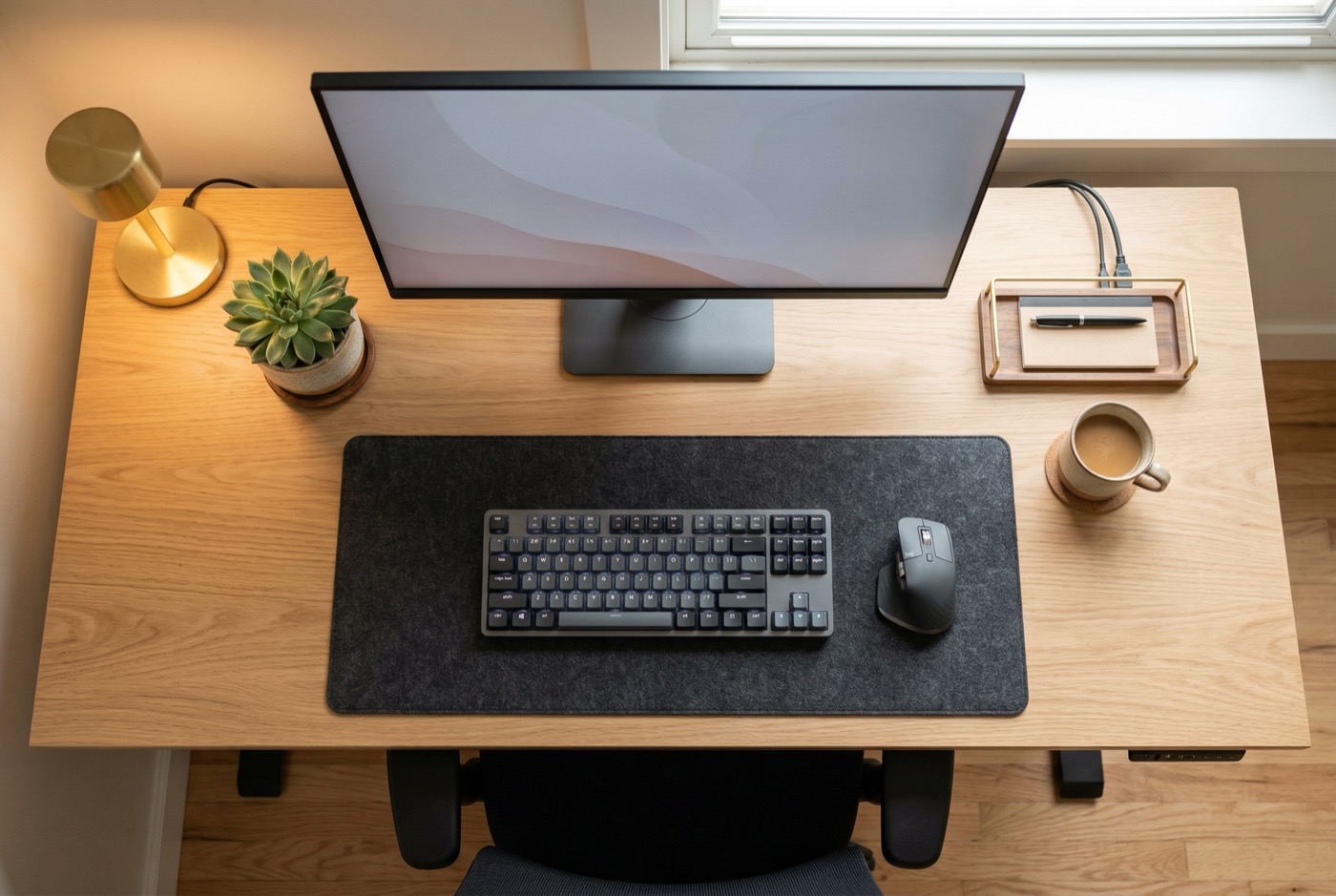
If you use a laptop, this single change will have the greatest impact on your physical comfort. Connect an external keyboard and mouse, then raise your laptop on a stand or stack of books until the top of the screen is at eye level.
Budget-friendly fix
A basic external keyboard and mouse costs $15 to $25. For that investment, you eliminate the neck-versus-wrist compromise that laptops impose. See our full guide to home office ergonomics on a budget for more low-cost solutions.
Alternatively, connect an external monitor and use it as your primary display. External monitors are larger, which also reduces the eye strain that comes from squinting at a 13-inch laptop screen.
2. Set the correct chair height
Your feet must rest flat on the floor with your thighs approximately parallel to the ground. If your dining chair is too high, place a footrest or box under your feet. If it is too low, add a firm cushion to raise your seating height.
Why this matters so much
When your chair height is wrong, compensatory postures cascade through your entire body: your shoulders elevate, your wrists angle, your back rounds, and your neck extends. Fixing chair height is the foundation upon which every other adjustment depends.
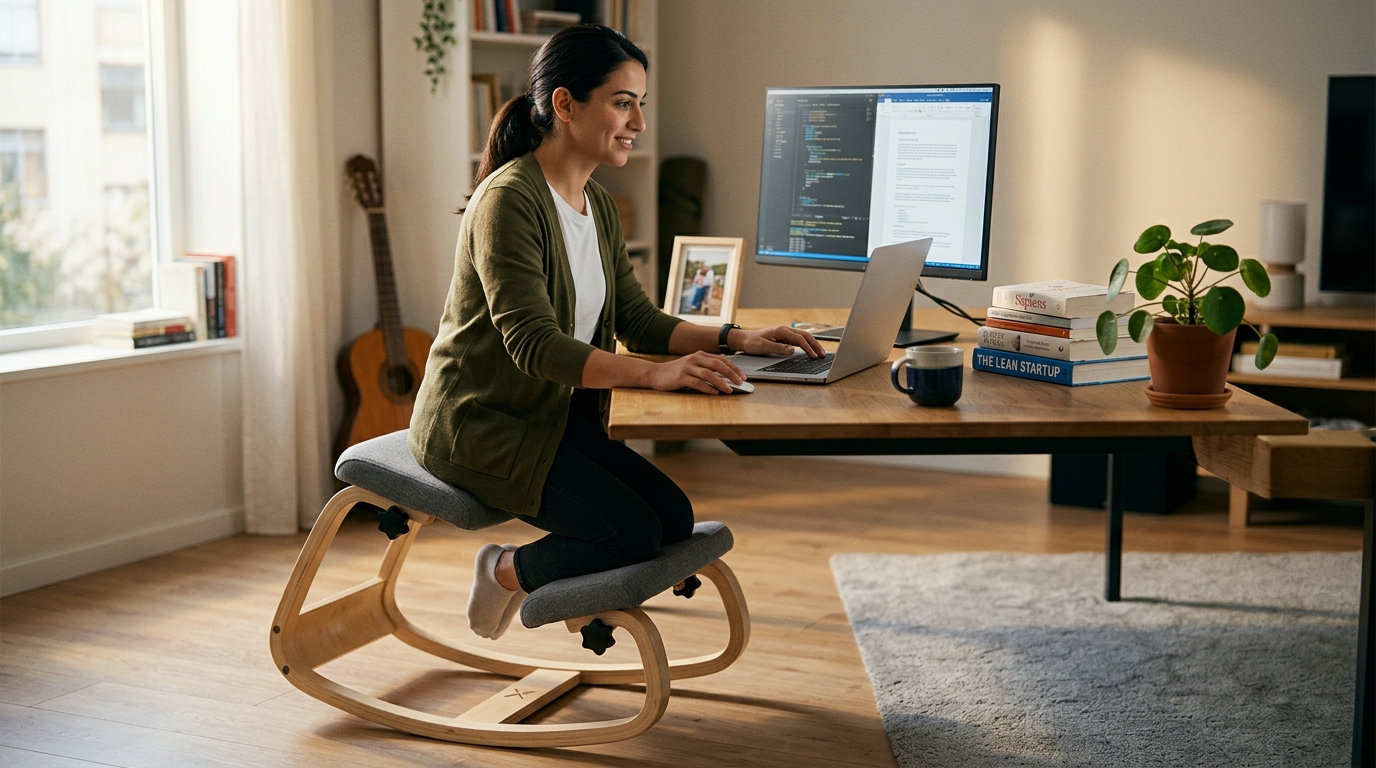
If you are still using a kitchen chair without height adjustment, consider whether a purpose-built ergonomic chair is a better investment than propping cushions on dining furniture. The NYPOT kneeling chair adjusts from 29 to 35 inches, takes up less space than a full office chair, and its forward tilt naturally positions your spine in the alignment described here. For a deeper dive into choosing the right chair, see our guide on how to choose an ergonomic chair.
Your Chair Is the Foundation of Remote Work Ergonomics
All the ergonomic tips in the world will not help if your chair is working against you. Everything in this guide – monitor height, keyboard position, screen distance – is easier to get right when your chair actually adjusts.
A dining chair locks you into one position. Your spine pays for it by 2 PM.
Take the Chair Finder Quiz →
3. Support your lower back
If your chair does not have built-in lumbar support, roll a towel, small pillow, or sweater and place it against the curve of your lower back at approximately belt level. This encourages your lumbar spine to maintain its natural curve, which distributes spinal forces evenly and reduces disc pressure.
Quick test
Sit with your back against the chair. Can you fit your fist between your lower back and the backrest? If yes, you need lumbar support in that gap.
4. Position your arms correctly
Your elbows should rest at approximately 90 degrees with your forearms parallel to the desk surface. Your shoulders should be relaxed – not shrugged up toward your ears. Your mouse and keyboard should be at the same height, directly in front of you.
Reaching for a mouse positioned too far to the side is a common cause of shoulder and forearm pain in remote workers. Our desk ergonomics guide covers the complete workstation setup in detail.
5. Control your lighting
Position your desk so that natural light comes from the side, not from behind your screen (causing glare) or from behind you (reflecting off the screen). Eye strain from poor lighting leads to forward leaning, squinting, and headaches – all of which worsen posture.
Evening work tip
Use a desk lamp positioned to illuminate your work surface without creating screen reflections. Reduce screen brightness using Night Shift (Mac/iOS) or Night Light (Windows) after sunset.
Movement Strategies for the Home Environment
One advantage of working from home is freedom to move. There is no open-plan office full of colleagues watching you stretch by your desk. Use this freedom.
The 30-30 Rule
Every 30 minutes, change your position for at least 30 seconds. This could mean standing up, stretching, or simply walking to another room and back. A 2019 review in Applied Ergonomics found that breaking up sitting time every 30 minutes was the most effective frequency for reducing musculoskeletal discomfort (Waongenngarm et al., 2019).
Household movement anchors
- Coffee breaks: While the kettle boils, do 10 squats and 10 shoulder rolls
- Bathroom breaks: Add 5 wall push-ups and 5 chin tucks
- Before lunch: Take a 10-minute walk outside
- Between meetings: Stand, stretch hip flexors (30-second lunge each side)
- End of workday: 5-minute full-body stretch to transition out of work mode
Walk-and-talk meetings
For audio-only calls that do not require screen sharing, take them while walking – outdoors if possible. Stanford research showed that walking increases creative thinking by an average of 60% compared to sitting (Oppezzo and Schwartz, 2014).
Not Sure Which Chair Is Right for You?
Take our 2-minute Chair Finder Quiz to match your body type, work style, and home office setup to the right ergonomic seating solution.
Take the Quiz →
Managing Multiple Work Locations
Many remote workers do not work at the same spot all day. You might start at your desk, move to the couch for a meeting, and work from a cafe in the afternoon. This variety can be beneficial – if you manage it correctly.
Location strategy
- Primary workstation: Your most ergonomically optimized space for focused, intensive work. Invest your setup effort here.
- Secondary locations: Couch, kitchen table, cafe. Use for shorter sessions (under 1 hour) or less demanding tasks like reading or brainstorming.
- Never spend extended periods at a suboptimal workstation.
The portable ergonomic kit
If you frequently work from different locations, assemble a small kit: a lightweight laptop stand ($15-$25), a compact wireless keyboard and mouse ($20-$30), and a lumbar support cushion ($15-$25). This kit fits in a bag and allows you to create a reasonable setup almost anywhere. Total cost: under $75.
The Video Call Factor
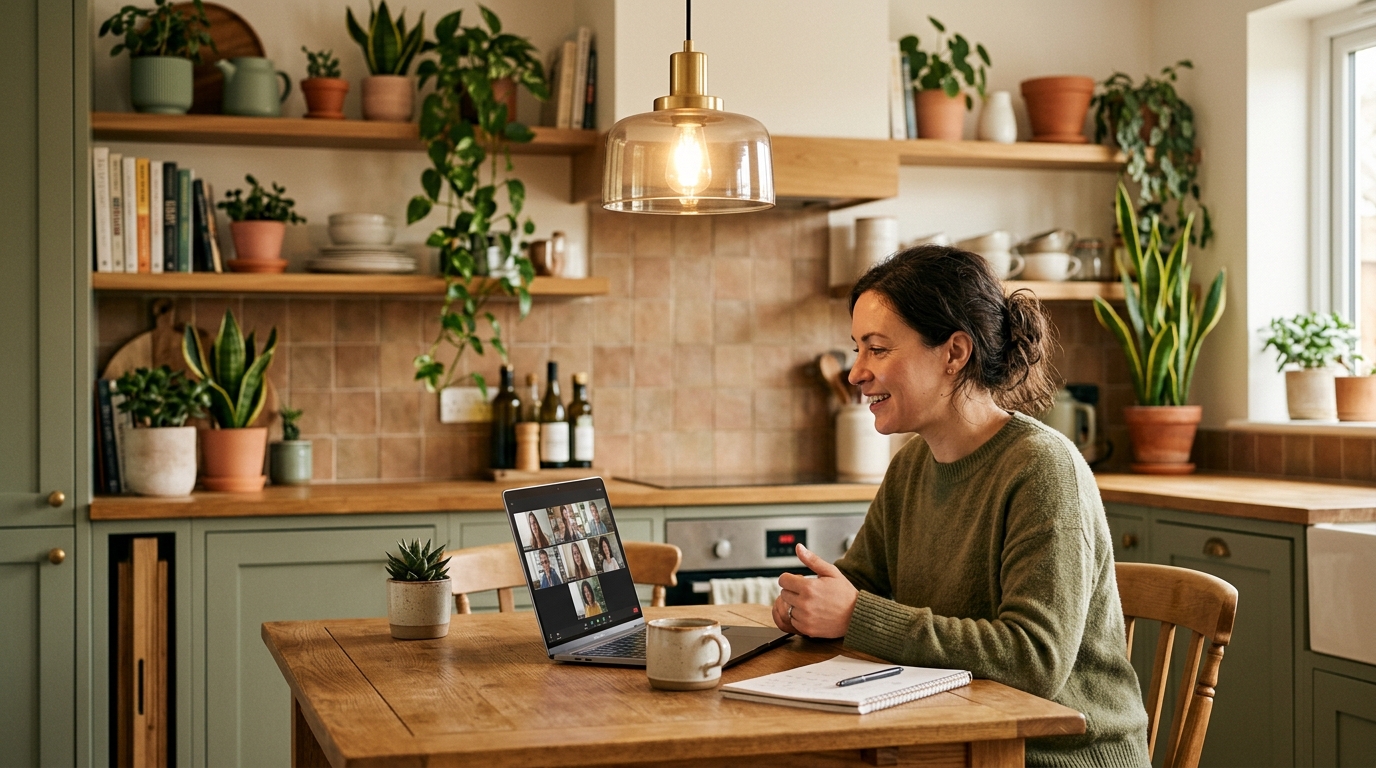
Remote workers spend an average of 4.5 hours per day on video calls (Owl Labs, 2022). Video calls create a unique postural challenge because we unconsciously lean toward the screen to appear engaged and read facial expressions.
The “Zoom lean”
This forward-leaning posture compresses the anterior structures of the spine and fatigues the neck extensors. Over hours of daily calls, it becomes a significant source of pain.
To counteract Zoom lean:
- Place your webcam at eye level so you look straight ahead during calls
- Lean slightly back rather than forward – a 100 to 110-degree recline reduces disc pressure
- Turn off self-view to reduce the tendency to adjust your position based on the camera
- Stand for at least one meeting per day
- Use audio-only mode when possible and walk during the call
The Mental Side of Remote Ergonomics
Physical ergonomics and mental health are deeply interconnected. Stress, anxiety, and isolation manifest physically as muscle tension, shallow breathing, and postural collapse.
Workspace boundaries
Designate a specific area for work and do not use it for leisure. This physical boundary supports the psychological separation between work and rest. When you leave the workspace, work is over.
Breathing reset
Diaphragmatic breathing – slow, deep breaths that expand the belly rather than the chest – reduces muscle tension in the neck and shoulders within minutes (Ma et al., 2017). Practice 5 deep breaths at the start of each work block.
Common mistakes to avoid
The worst remote work surfaces
- Working from the couch: The soft, unsupported surface encourages deep spinal flexion. Limit couch work to under 30 minutes.
- Working from bed: The worst possible work surface. Combines neck flexion, wrist extension, and lumbar flexion into a single harmful posture. Reserve the bed for sleeping.
- Ignoring the chair because you “only sit a few hours”: Even 3-4 hours daily in a bad chair adds up to 800+ hours per year of accumulated strain.
Building Your Daily Ergonomic Routine
The most effective approach combines a properly configured workstation with consistent movement habits. Here is a framework you can start using today:
Your daily schedule
- Start of day: 2-minute setup check (screen height, chair position, lumbar support, lighting). 5 deep breaths.
- Every 30 minutes: 30-second position change. Stand, stretch, or walk briefly.
- Every 90 minutes: 5-10 minute break. Walk, stretch, hydrate.
- Midday: 15-30 minute walk or exercise session.
- End of day: 5-minute stretch routine. Physically leave the workspace.
These ergonomic tips for remote workers are not complicated. They do not require expensive equipment or specialized knowledge. What they require is consistency – small, repeated actions that protect your body over the long hours of working from home.
Helpful technology
Free or low-cost tools that support your ergonomic habits:
- Break reminder apps: Stretchly (free, open-source), Time Out (Mac), or Big Stretch (Windows) remind you to take breaks at customizable intervals.
- Standing desk timers: Stand Up! or Rise can prompt you to alternate between sitting and standing.
- Screen temperature: Night Shift (Mac/iOS) and Night Light (Windows) reduce blue light emission in the evening, supporting better sleep and recovery.
Where to Go from Here
If you found these tips useful, explore these related guides for deeper dives into specific topics:
- Home Office Ergonomics on a Budget – how to set up a proper workspace without spending a fortune
- Desk Ergonomics Guide – the complete workstation setup from monitor to mouse
- Ergonomic Chairs for Remote Workers – what to look for and what to avoid
- How to Choose an Ergonomic Chair – cutting through the marketing to find what actually matters
Ready to Upgrade Your Home Office Chair?
The NYPOT Kneeling Chair was designed for home offices: compact footprint, no assembly tools needed, adjustable height that works with standard and standing desks, and a rocking base that keeps your body moving while you work.
Ready to find the right setup for you?
Explore our ergonomic products designed for how you actually sit.
References
- Ma, X., et al. (2017). “The effect of diaphragmatic breathing on attention, negative affect and stress in healthy adults.” Frontiers in Psychology, 8, 874.
- McKinsey. (2024). “Americans are embracing flexible work – and they want more of it.” McKinsey Global Institute.
- Microsoft. (2021). “The Next Great Disruption is Hybrid Work – Are We Ready?” Microsoft Work Trend Index.
- Moretti, A., et al. (2022). “Prevalence of musculoskeletal complaints among remote workers during the COVID-19 pandemic.” International Journal of Environmental Research and Public Health, 19(3), 1554.
- Oppezzo, M., & Schwartz, D. L. (2014). “Give your ideas some legs: The positive effect of walking on creative thinking.” Journal of Experimental Psychology: Learning, Memory, and Cognition, 40(4), 1142-1152.
- Owl Labs. (2022). “State of Remote Work.” Owl Labs Annual Report.
- Waongenngarm, P., et al. (2019). “The effects of breaks on low back pain, discomfort, and work productivity in office workers.” Applied Ergonomics, 77, 60-68.
This article contains affiliate links. ErgoLife Foundation may earn a commission at no additional cost to you. All recommendations are based on our independent research and mission to improve workplace wellness.